Learn & Practise Coding
AI Coding Mentor
A learning web application for programming beginners: write code in a real editor, have a simulated mentor explain it, ask for hints, and practise with 18 exercises in Python, JavaScript and Java. The mentor works with fixed rules, not with an AI model.
At a glance
- 3languages in the editor: Python, JavaScript and Java
- 18exercises, filterable by language, difficulty and topic
- 16typical beginner mistakes that Debug looks for
- 335automated tests with Vitest and React Testing Library
Overview
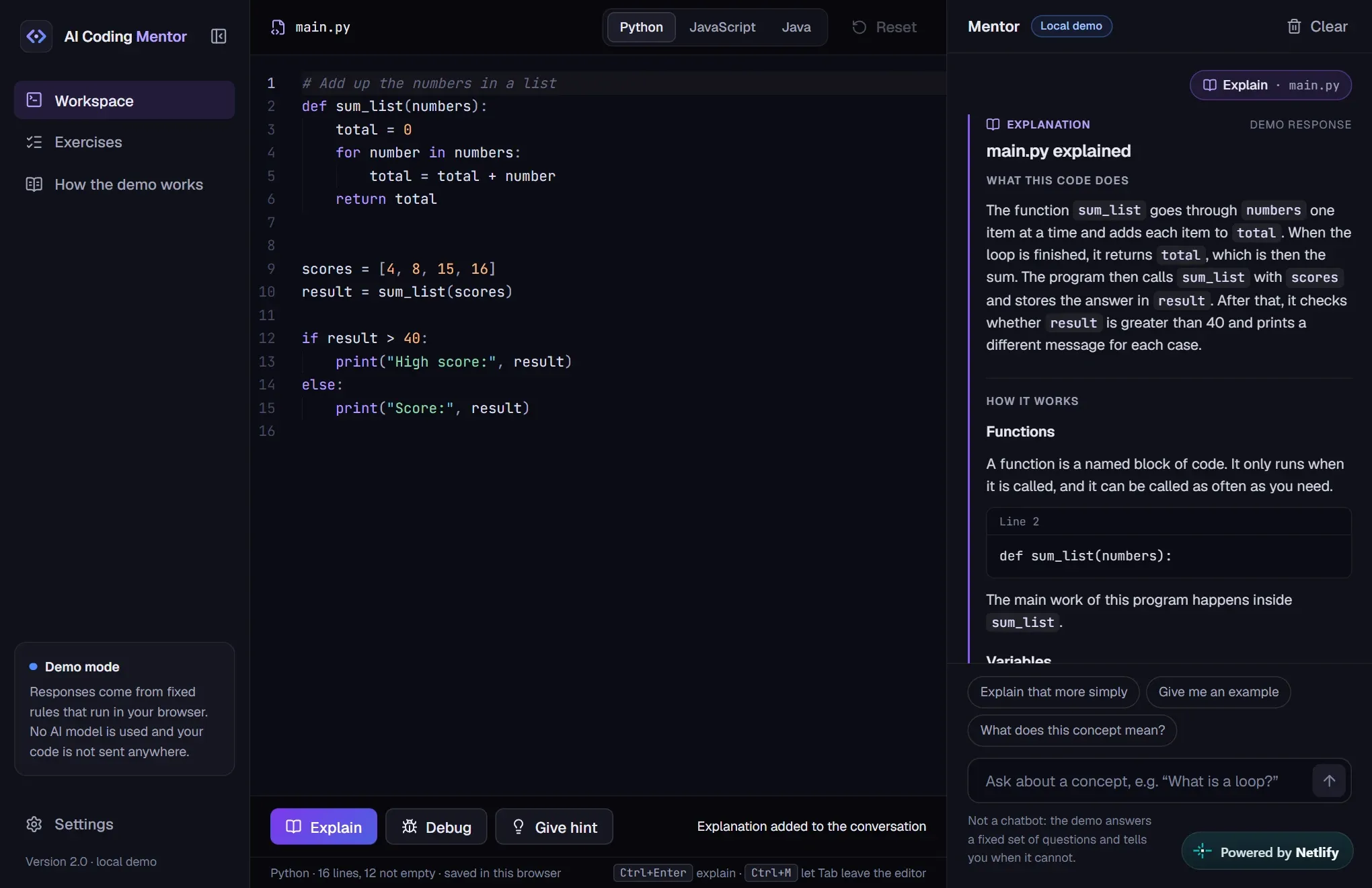
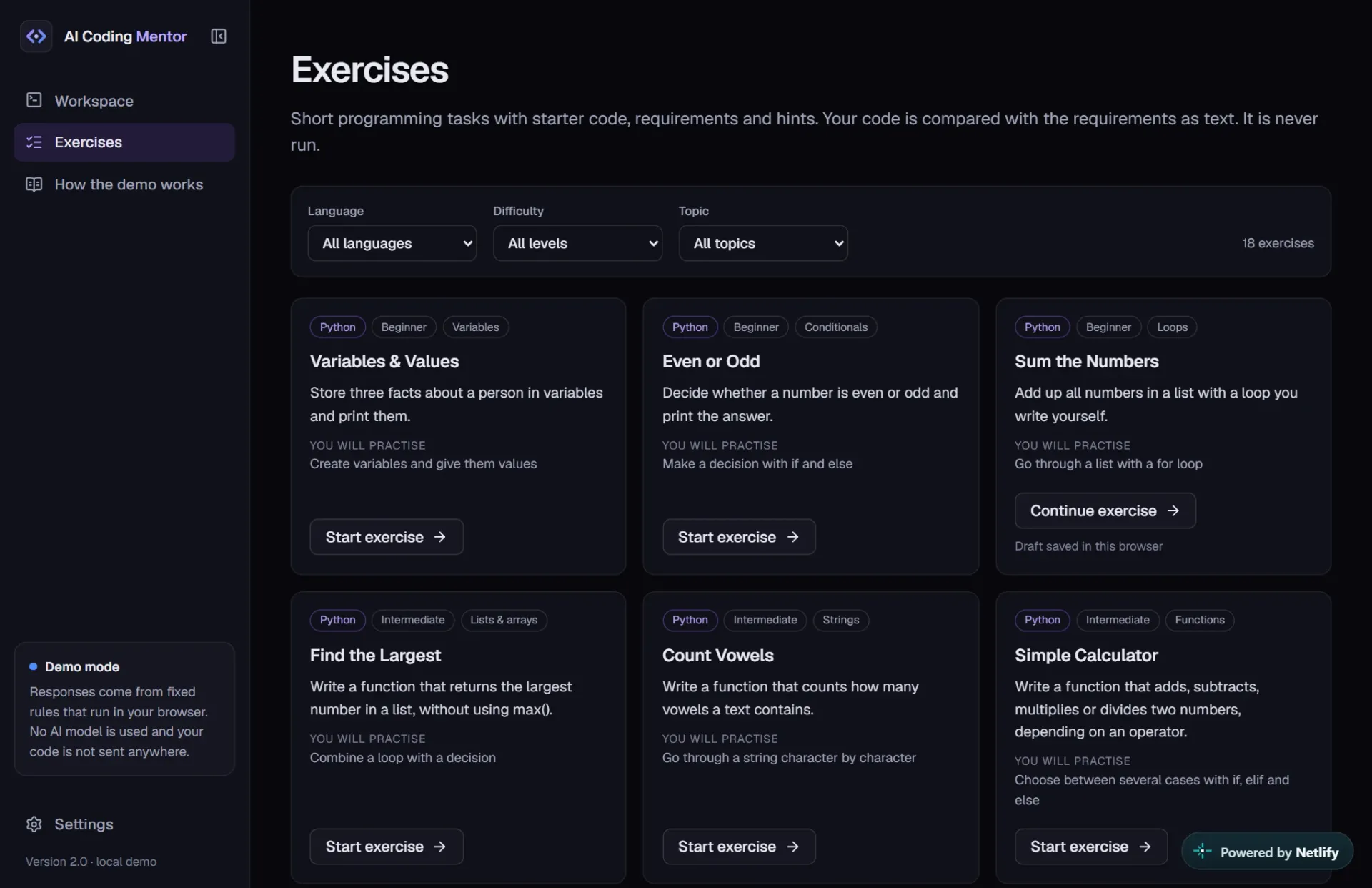
AI Coding Mentor is a web application for learning to program, with two areas: a workspace with a code editor and a mentor, and an exercise library with 18 tasks in Python, JavaScript and Java. It is published as a prototype in version 2.0 and runs entirely in the browser. It replaces an earlier Python prototype and was developed with assistance from Claude Code.
Features
Editor
- Monaco, the editor from Visual Studio Code, with syntax highlighting for Python, JavaScript and Java
- Drafts for each language and each exercise, stored locally in the browser
- Responsive layout with a collapsible sidebar
Explain, debug, hints
- Explain: describes what a program does where it recognises the pattern, and explains the concepts used
- Debug: looks for 16 typical beginner mistakes and gives a reason for each finding
- Hints in three levels, from a gentle nudge to a concrete suggestion
Exercises
- A library of 18 tasks, filterable by language, difficulty and topic
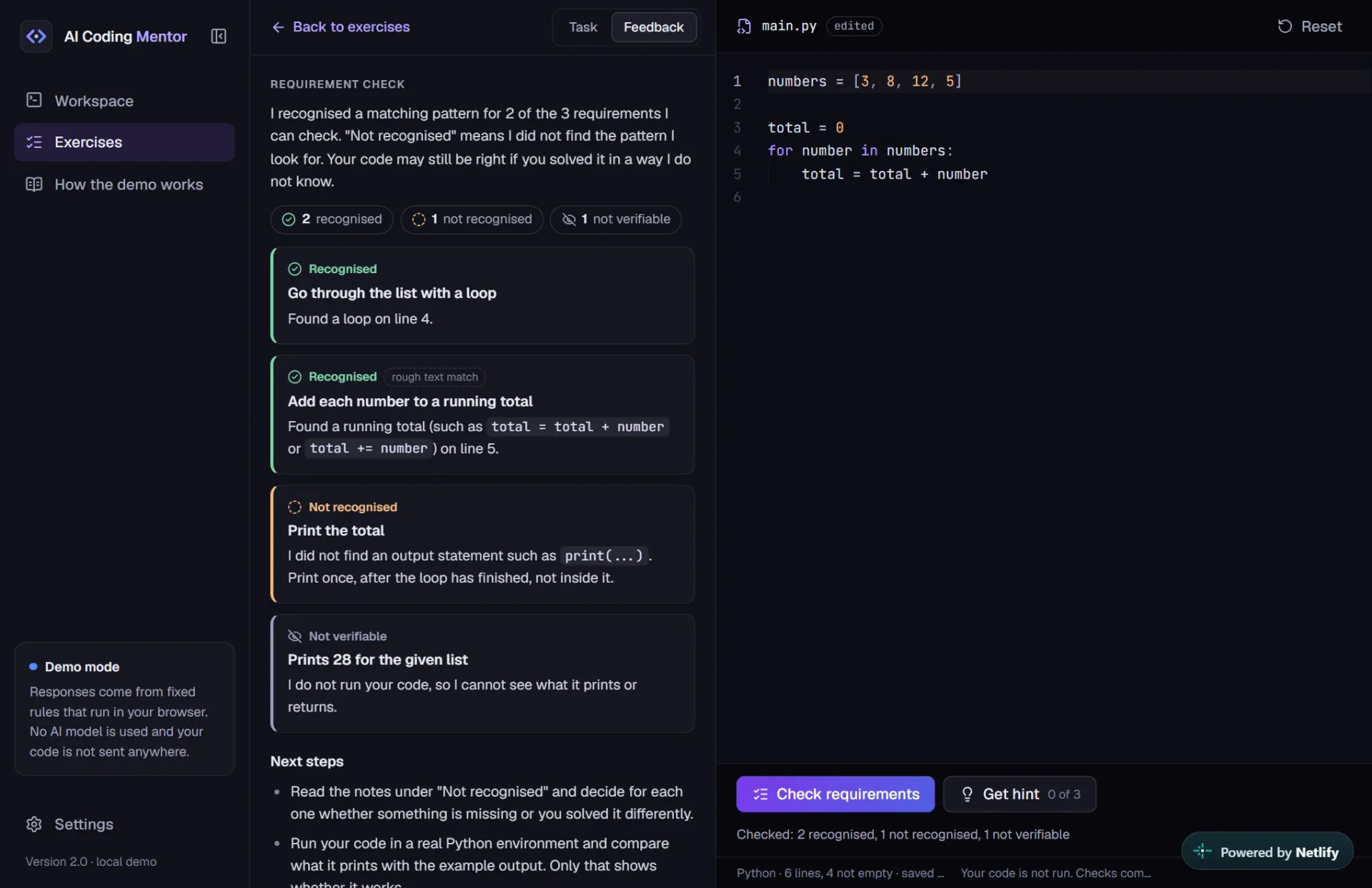
- Practice view with the task, starter code, a requirement check and hints of its own
- Feedback in three categories: recognised, not recognised, not verifiable
Honest, not magic
- Fixed, transparent rules instead of an AI model: the same code gets the same answer
- A "How the demo works" page that discloses what the mentor recognises and what it does not
Screenshots
Problem
People who are learning to program often get finished code from AI assistants straight away. The task is solved, but they understand barely more than before. For learning, it helps more to have your own code explained, to be pointed to typical mistakes, and to get hints that do not do the thinking for you.
Solution
The mentor offers three actions: Explain, Debug and Give hint. It is a simulation: fixed, transparent rules look for known patterns in the code and choose prepared texts to match. The same code always gets the same answer. When nothing matches, the mentor says so instead of making something up. In the exercises, a requirement check compares the code with what the task asks for, such as a function with a certain name, a loop or a return value. Each requirement is reported as recognised, not recognised or not verifiable, with a reason. Hints come in three levels, so the solution is not given away.
Technical implementation
The interface is built with React and TypeScript, and Vite turns it into static files. The editor is Monaco, loaded only once the page is visible. Logic is kept apart from the interface: the mentor and the exercise system live in their own modules without React. The interface talks to the mentor through one small interface, so it could later be replaced by a real service. Before any rule is applied, a preprocessing step blanks out comments and strings so that text inside them cannot trigger a rule. Exercises are plain data, and each requirement refers to a typed check. Drafts are stored in localStorage and validated when loaded. 335 automated tests with Vitest and React Testing Library cover the mentor, the exercise checks, storage and the interface.
Challenges
The hardest part was keeping the feedback honest. A check that only compares text must never call a solution correct. That is why there is a "not verifiable" category, and why the summary speaks of recognised patterns rather than passed tests. Avoiding false alarms mattered just as much: commented-out code or code inside a string must not count, while common alternative ways of writing a solution should. Both are secured with tests.
Limitations
The mentor is not an AI model and does not understand code. It recognises only a limited number of patterns, can miss real errors and can occasionally flag code that is fine. No code is executed anywhere. The requirement check therefore cannot tell whether a program works: a solution can contain every expected pattern and still be wrong, and a working solution written in an unusual way can be "not recognised". There is no progress tracking and there are no accounts, and the interface is available in English only.
Lessons learned
The project shows how much is gained by keeping logic and interface clearly apart: rules and exercises can be tested and extended one at a time without touching the presentation. It also shows where static checks end. Whether code really works can only be settled by running it. A learning tool should state that limit openly instead of suggesting certainty it does not have.